SaaS Marketing: Generate high-quality leads for brand awareness

The way people buy things these days have changed a lot. At present, the customers are not swayed away by the flashy advertisements on digital marketing. Instead, the focus has shifted towards more online research and then buying things. Did you know that 57% of the customers these days do online research before buying?

What this means is, you have to focus more on creating a proper lead generation strategy. It is true that successful pipeline marketing varies through different industries and product types. However, for software-as-a-service organizations (SaaS), there are numerous SaaS marketing strategies that have proved to be effective over time.

In this blog today, we are going to share the best and most effective ways to generate leads with SaaS marketing. Here is what you need to do.

What are the differences between the present and previous marketing process?

One of the primary differences between the previous and present marketing planning process is the funnel has changed. In the old funnels, the marketers needed to create a top of funnel awareness campaigns. Without this, the consumers cannot discover the brands.

But after that, websites like Yelp and Amazon started growing by collecting people’s reviews on a certain product. Now, things have changed a lot. You can choose your own brands, evaluate the options, and be much more aware of what is available and what is not.

Now the challenge is to adapt to this reality. So how can SaaS marketers make the best of the present situation? Here is how you can change things.

Prioritize the brand more than your website

Remember that the brand is more important than your website. It is not like that the website doesn’t matter. The difference is, more brand awareness will increase website visitors and traffic automatically.

The bottom funnel websites don’t rank anymore. Let us share an example. If you do a quick search with a B2B keyword “best day trading software”, you will see there are four ads above the fold.

The CTR will not vary a lot from the fourth to the first spot. The CPC will be ok. The third-party review sites and SERP features are lower down.

Now, for a B2B query of “best accounting software”, the SERP features come up at the top, then there are ads and then other review sites.

The point is the way search engines work now, has changed. It’s not that a website has a bad SEO or something. The consumers, these days are more interested in checking out what other people have to say. Whether they buy a $5 burrito or a $2000 software.

Thus, Google has decided to put the searcher first. Thus, if you are not coming up in those queries, you will miss out on 30% of the market share.

Whether it is an On-Page SEO, Off-Page SEO, or Local SEO, it is no longer about getting your website to rank. It is more about customer perception.

Also, some third-party review sites are bidding which is driving up the CPC and reducing the profitability. The new reality is, you have to be aware of it.

Consider the organic CTR

Most of the SaaS marketers use Google Ad services but that is not the best option. The average CTR on Google Ads is 2-4%. The better option is to avail organic CTR is to list on a third-party website.

If you can place your brand in a strong spot you can grab the first spot and increase 32% of the market share. It improves discoverability which is very important to drive marketing qualified leads (MQLs).

A lot of SaaS companies feel that the lower the CPA (cost per acquisition) the better it is. So what they do is stop bidding on the most expensive terms. But, remember that sometimes the most expensive terms are also the most valuable terms.

Even though a lot of third-party sites have higher CPCs, they also have better close rates and cost per opportunity. Thus, they are getting more qualified leads.

The financial model in SaaS Marketing

How you decide to allocate the funds is a very important part of SaaS marketing. Follow the LTV: CAC modeling. There are two types of it. One is the LTV: CAC SaaS non-trial and the other is LTV: CAC SaaS free trial.

LTV: CAC SaaS non-trial

If you are a SaaS firm and you are not offering a free trial, then you will need a proper spreadsheet and budget template to figure out different scenarios.

Look at all the channels in real-time. It will help you in putting all the numbers. Calculate them and run through different scenarios. This will help you in making a better alignment with CFO and build trust with CMO.

LTV: CAC SaaS free trial

If you offer a free trial then you can use a simple model where you will see the team costs, software costs, ad expenses, customer requirements, and more.

It will compute the LTV: CAC ratio and the number of months to recover. Use this as a log to forecast the budget.

Validated Tactics

Do not miss out on the validated tactics that include:

  • Google Ads
  • LinkedIn
  • Podcasts
  • Review Sites
  • Sponsored Webinars
  • Terminus

Organic Tactics

  • Content
  • SEO
  • Partner Marketing
  • PR

Make sure that anyone in your team can get into the marketing platform and get the data they need.

Next is, focus on OCT (Offline Conversion Tracking). You can do this by integrating SalesForce into Google Ads. You can now trust the Google Smart Bidding.

Smart Broad Campaigns

You have to trust Google’s Search engine but after you integrate SalesForce with OCT, run broad keywords. It is important to manage your account daily.

Conversation Ads

With conversation ads, the advertisers can start a conversion with professionals and decision-makers of a business through LinkedIn Messaging. You can use it to book a discovery call or use it to gift an offer and a lot more.

Content Marketing

Content writing and marketing is tough for those SaaS companies that don’t have a recognized brand. If there is no distribution plan, then it is better not to create content. You have to find a promotional strategy for it. PR will be tough because you have to be a guest. Instead of doing all this, you can opt for:

  • Sour interviews
  • Friday Roundtables
  • SaaS marketing competition

This is a better content marketing campaign.

In the end, it is important to remember that whether it is digital marketing or SaaS marketing, everything starts with your team. You have to create a culture where your team can submit new ideas and new marketing models.


5 simple steps to create a search engine optimized FAQ page

There is no doubt that FAQ’s help in increasing the search engine rankings because Google values your website for the data you offer. Search engines and people love the FAQ pages. Why? Because these pages show that you care for your customers.

With a great FAQ landing page, you can increase your customer experience. Also, your online visibility will increase People will also find you outside of your website. You can directly respond to the needs of your target audience.

This is also another reason why voice search is becoming so much popular these days. FAQ content can generate a wide range of targeted traffic to your website. In a lot of cases, business owners use it as a good content marketing strategy.

In this blog today, we are going to share the 5 simple steps to create a well-optimized FAQ page for search engines.

  1. Creating an SEO-driven strategy

While making an SEO strategy, it is important to identify the important search trends. You have to know how your customers are framing their questions. Find out which questions are most interesting to them and which are more popular than others.

Start with semantic research with a text optimizer tool to find out the related concepts behind any search query. This will make things easy for you. You can understand the customer search patterns, break questions, and create more subtopics.

While you type on the Google search bar, do not forget to check the Google-Suggest section. This will give you a lot of suggestions. You can use Ahrefs to get more questions from Google-Suggest results. An easy way is to use the filters to find the most popular questions. Then you can create similar topics and follow similar search patterns.

Also, make use of Google’s ‘People Also Ask’ feature. This is a good source to collect information on important search queries. Did you know that your competitor can be a good source of information? Run your competitor’s FAQ URL through the tools to see which questions can generate more organic visibility.

  1. Organizing the questions

This is a very important step. The tools will offer you a lot of data to work with. However, not all the questions will be worth using in your website’s FAQ section. Thus, you have to organize them. Use spreadsheets to note down the queries according to their dates.

The goal is to find out the following:

  • The main subtopics behind the questions. It could be related to price, DIY, or any general questions.
  • You can also opt for the closely related questions. However, make sure that you don’t clutter the FAQ pages by answering the same questions.
  • Use questions that match the various content personas. You can create templates where you can attribute search queries for identified content personas.
  • Question groups with similar search intent that will help your audience to learn more about a topic. Questions that might lead to a purchase and questions that are similar to your brand or your competitor’s brand.

These will help you in formatting your FAQ pages into the sections and it will increase visibility. A well-structured FAQ page increases visibility. Also, there are some WordPress plugins that can help you in organizing your FAQ page in different sections.

  1. Using the FAQ page schema

The Google snippets depend mostly on the use of so-called schema or the structured markup that help the search engines in extracting the necessary information. For the FAQ rich snippets, there is a structured markup which is called FAQPage schema.

To make things easier, choose a proper website development service and install a WordPress Plugin that will help you in using the schema on any of the pages. With the plugin installed, when uploading any of your content to the WordPress, you can select the ‘IMN FAQ Block’ to markup questions and answer with the FAQ Page schema.

Another good thing about this plugin is, it prompts you in marking up each question with H2 or H3 subheading. This is what Google uses to find answers for questions inside the People Also Ask feature. By using this plugin, you can optimize for both organic search opportunities.

  1. Adding internal links inside every answer

This is a very important step for the search engine optimization that is overlooked a lot of times. Google will show your answers inside the rich snippet, yet they will appear so conclusive that the searchers will never click to the site.

To avoid this problem, you can add internal links in every answer. You can see these in-answer links in the organic search so that the searchers might be more inclined to click on them.

  1. Creating a clickable table of contents

To make the FAQ page easier to navigate for your audience, you can publish a summary of the major sections. This will be like a table of contents. If you did step 2 successfully and created a structure on the actual searching pattern, this will give you another organic search advantage.

These are like “jump-to” links which will take the searchers to the part of the FAQ page that they find interesting. A well-organized FAQ page that includes a clickable table of content will make the page easy to navigate.

Highlight the TOC in the left column so that the questions are highlighted. To get this done, you have to create an anchor link for every question. In the TOC, you hyperlink every question to the corresponding anchor link.

In conclusion, it can be said that Google is always coming up with new sections and elements. This helps in creating better, information-rich, and more interactive search results. If you can maintain a flexible SEO plan and adapt your tactics to the newest changes, you will experience better organic search visibility.

Getting more organic opportunities is easy with a well-structured and well-optimized FAQ section. This will help you in achieving many more goals due to better user engagement and more conversions.

A guide to choosing the 7 Google tools for keyword research and SEO

There is no doubt that consumer behavior is changing at a fast pace, especially with the ongoing COVID-19 pandemic. Thus, it has become more important than ever to do proper research on the keywords. This will help you in understanding the latest shifts in the consumer intent.

Most of the SEO professionals know how to find out insights from the Google Search Console. They know which keywords have helped them in getting more traffic, increase rankings, and enhance visibility in the past. However, it is time to think outside the box.

Thus, you have to find out the resources that didn’t exist before March 11, 2020. In this blog today, we are going to tell you about the 7 Google tools. These tools will help you in your keyword research and SEO.

1. Rising Retail Categories

In May 2020, Google launched a brand new and interactive tool which is known as Rising Retail Categories. This tool helps us in understanding the following;

  • The rising retail categories in Google Search
  • The locations where the searches are increasing
  • The associated queries

For instance, in the last 6 months, the top trending searches in the US have been sprinkler control, sneeze guards, neck gaiters, household disinfectants, and protective masks. In this way, you can focus on the top trending categories month-to-month. If you are making any of these products, then it is time to look for the key trends. Trust me; you will become a hero in the retail market sector overnight.

2. Coronavirus search trends

There has been a massive spike in the search topics related to coronavirus, COVID-19. This has been an ongoing trend from February to May. After that, the search interest in coronavirus has reduced and come below weather searches. However, it still remains above the search topics of music and sports.

3. The US economy and Covid-19

Google has recently created a section of the Coronavirus Search Trends on the US economy and COVID-19. This includes analysis of how the Coronavirus has affected the searches and comparing them with the past searches.

If you keep scrolling down, you will see the search interest in the recession since 2004. If you further scroll down, you will see the spikes in different search interests in other terms like unemployment benefits, food banks, mortgage forbearance, food stamps, and more.

You can check the map of the country to see which search terms are used the most in which locations.

4. Shopping insights

In October 2015, Google launched the Shopping Insights feature. This is a very useful feature as it helps you to see how your clients or company stack up against your competitors. It will help you track the competing products in your category.

This is a life-saving feature, especially in these extraordinary times. There is no doubt that this year’s disruptions are making it tough for retailers to do business. Here is where the benefits of Shopping Insights come in.

The Shopping Insights help in staying updated on what the shopper wants. Thus, you can follow the trends in their category. Now, the question is, how does Google provide the shopping insights? According to Think with Google, 63% of the shopping scenarios include shoppers doing online research before purchasing.

Doesn’t matter whether they shop online or offline, the research before shopping is done online. Thus, with daily search data for more than 55,000 products, 45,000 brands, and 5000 categories, the Shopping Insights will help in understanding the customers in a better way. Once you get to know their intent, you can make more informed decisions throughout both online and offline channels.

5. Market Finder

In November 2017, Google launched Market Finder. It has become a game-changer while helping clients in navigating through the present scenario. When you enter the URL of any organization in the Market Finder, you will be able to calculate the regions that offer the best opportunities for similar services depending on the key metrics/filters of your chosen categories.

For instance, if it is a school or university, it will show you all the regions that offer the best growth and career opportunities. This is a significant surprise because it comes as a shift from the geographic trends before the pandemic.

6. Google Surveys

Google Consumer Surveys was launched in the year 2012. It got renamed as Google Surveys in 2016. At present, it has become one of the most essential tools to get valuable insights on the target audiences. This is a market research tool that gathers data from the survey questions you use.

The web users answer your survey questions for accessing high-quality content on the Google Display Network. In return for it, the publishers get paid for it because their users answer the questions. Google then compiles and analyzes the answers through a simple online interface.

Yes, you can use the Search Console but they will not tell you “why” people are using those queries. This is why you should use Google Surveys. Google surveys help in uncovering the search intent. This is much more valuable.

Google Surveys will help you get answers much more quickly. And the best part is, it is cheap. The prices start at $0.10 per complete survey. Keyword research will help in choosing a keyword phrase for optimizing the title and Meta description of a landing page.

Google Surveys help in ensuring that the content on the landing page is optimized to address the consumer intent. This is important because you can do much more than generating organic search traffic. Different SEO strategies can help you in generating organic search traffic which converts leads.

7. Google Trends

Google Trends was launched in 2005 and this is why it is the oldest tool. A lot of SEO professionals don’t use it too often because it doesn’t offer any data on the organic search volumes. However, these are not normal times. Finding insights that can be processed within a very short time after it happened in the real world, is something that will get the SEO professionals a competitive edge. The worldwide keyword search terms with “best” and “cheap” have increased steadily in the last 16 and a half years.

It is important to create and optimize new content using these keywords because that is what your customers are searching for. Thus, on one hand, the COVID-19 crisis represents a threat and an opportunity too. Thus, you don’t have to use traditional tools for digital marketing.

Creating an HTML form that sends email responses to your inbox

Yes, it is true that improving the UX of a website will cost a lot of money. Also, you don’t need to spend a lot of money every time you face a problem with your website. There are simple fixes.

The question is, how can you find out if your target audience is enjoying the website experience? The answer is very simple. All you have to do is have HTML forms on your website.

This is a great way to get customer feedback about their experience. These forms will offer you insights on how to improve the website UX for more conversions in the future.

Did you know that 74% of the marketers make use of the forms to get more leads? Whether you want to convert more visitors to leads, gather information for the sales team, or want to create solid brand awareness, the forms can help you in a lot more ways than you can think of.

Therefore, in this blog today, we are going to help you in creating HTML forms that send email responses. However, it is not that simple. It will depend on how you work and on what platform you are working with.

If you are only working on HTML then it is pretty easy. Here is a sample code:

method=”POST”

enctype=”multipart/form-data”

name=”EmailTestForm”>

Name:


Message:


This will create a form like this:

basic HTML form
basic HTML form

This is a basic HTML form. However, the problem is, it doesn’t send the feedback directly to an email. Instead, the HTML code opens an email client window to submit the form.

The problems of email forms in HTML

The reason why browsers don’t allow submitting forms directly to an email address is sending emails directly from an HTML web form that will reveal the visitors’ email address. Thus, the visitor will become vulnerable to malicious activities like phishing.

An HTML code activates the default mail client on the user’s computer. The web browser sends a request to the email service provider and not to the specific address.

The HTML code needs a JavaScript to validate the form and PHP coding for communicating with your email server and send the content to a mailbox. The following three sets of code will get your job done.

HTML:

Your Name: Email Address:

Message:

JavaScript:

PHP:

$errors = ”;

$myemail = ‘yourname@website.com’;//<—–Put Your email address here. if(empty($_POST[‘name’]) ||

empty($_POST[’email’]) ||

empty($_POST[‘message’]))

{

$errors .= “n Error: all fields are required”;

}

$name = $_POST[‘name’];

$email_address = $_POST[’email’];

$message = $_POST[‘message’];

if (!preg_match(

“/^[_a-z0-9-]+(.[_a-z0-9-]+)*@[a-z0-9-]+(.[a-z0-9-]+)*(.[a-z]{2,3})$/i”, $email_address))

{

$errors .= “n Error: Invalid email address”;

}

if( empty($errors))

{

$to = $myemail;

$email_subject = “Contact form submission: $name”;

$email_body = “You have received a new message. “.

” Here are the details:n Name: $name n “.

“Email: $email_addressn Message n $message”;

$headers = “From: $myemailn”;

$headers .= “Reply-To: $email_address”;

mail($to,$email_subject,$email_body,$headers);

//redirect to the ‘thank you’ page

header(‘Location: contact-form-thank-you.html’);

}

?>

How to create an HTML form that emails the responses to the mailbox?

Now, the above-mentioned codes are not difficult but it will take a lot of time for you. If you don’t want to use so many codes, then the following options will get the job done.

Form plugins for WordPress

WordPress brings you a lot of paid and free plugins for you to work on. With these plugins, you can create multiple forms that perform correctly.

Ninja Forms: These are perfect for beginners. You can create custom forms, modify each field, and then save them for later. If you need to indicate required fields or custom input masks for international phone numbers, then this one can do it for you. Also, you can even add your own raw HTML to include videos or custom graphics to increase branding. Ninja forms also help you in avoiding spams through Google reCaptcha, honeypot options, and more.

WP Forms: It includes a user-friendly interface along with a drag-and-drop builder for creating beautiful and functional forms. You can use the free Lite version or you can opt for the paid version as well. The conditional smart logic allows you to choose whether or not to display the additional fields depending on the previous answers.

Also, WPForms securely integrates with multiple payment options like Stripe, PayPal, and more. Thus, it is perfectly suitable for e-commerce applications. You can use the WPForms for developing your email list.

Gravity Forms: Gravity Forms help a lot in saving time. The interface is simple, easy to use, and integrates with numerous popular services like Paypal, Slack, Zapier, Campaign Monitor, and Stripe. There are 30 premade customizable templates that will help you get started.

You can use the conditional logic technology for creating dynamic entry fields depending on answers to different questions. Gravity Forms are committed to responsive design. The forms look perfect on every device. Also, Gravity Forms will send a notification with every submission.

Shopify form Apps

Shopify offers its own series of applications that will help in creating a form and send email responses.

Using the Hulk Apps Easy to Advance Form Builder, you can use premade templates or design your own forms for multiple purposes. You can use them for getting leads. collect payments and also manage customers.

You can create HTML forms that email multiple addresses along with notifications. Also, you can design completely responsive forms for free.

Also, you can use the form builder for custom forms using AAAeCommerce Inc. You can use the easy drag-and-drop builder for creating mobile-responsive forms. You get a lot of similar features like the WP plugins integrated with email apps and PayPal. If you want to create an HTML form that will send responses to an email, you can choose multiple recipients with this.

Google Form

With the Google Forms, you will be able to create beautiful surveys for your email marketing campaigns. Since it is through Google, you and your team can easily collaborate.

The best thing about Google Forms is, you can upload logos, graphics and the website builder will choose the right color to match. The forms are mobile responsive. Also, Google will change them into real-time charts and graphs.

In conclusion, it can be said that user feedbacks are very important in web development, designing, and digital marketing. You will find it very hard to create a strictly HTML form that submits to an email. The technology will not communicate with an email server. However, you can use the HTML form that emails responses by using JavaScript and PHP. Also, you can opt for the user-friendly drag-and-drop plugins.

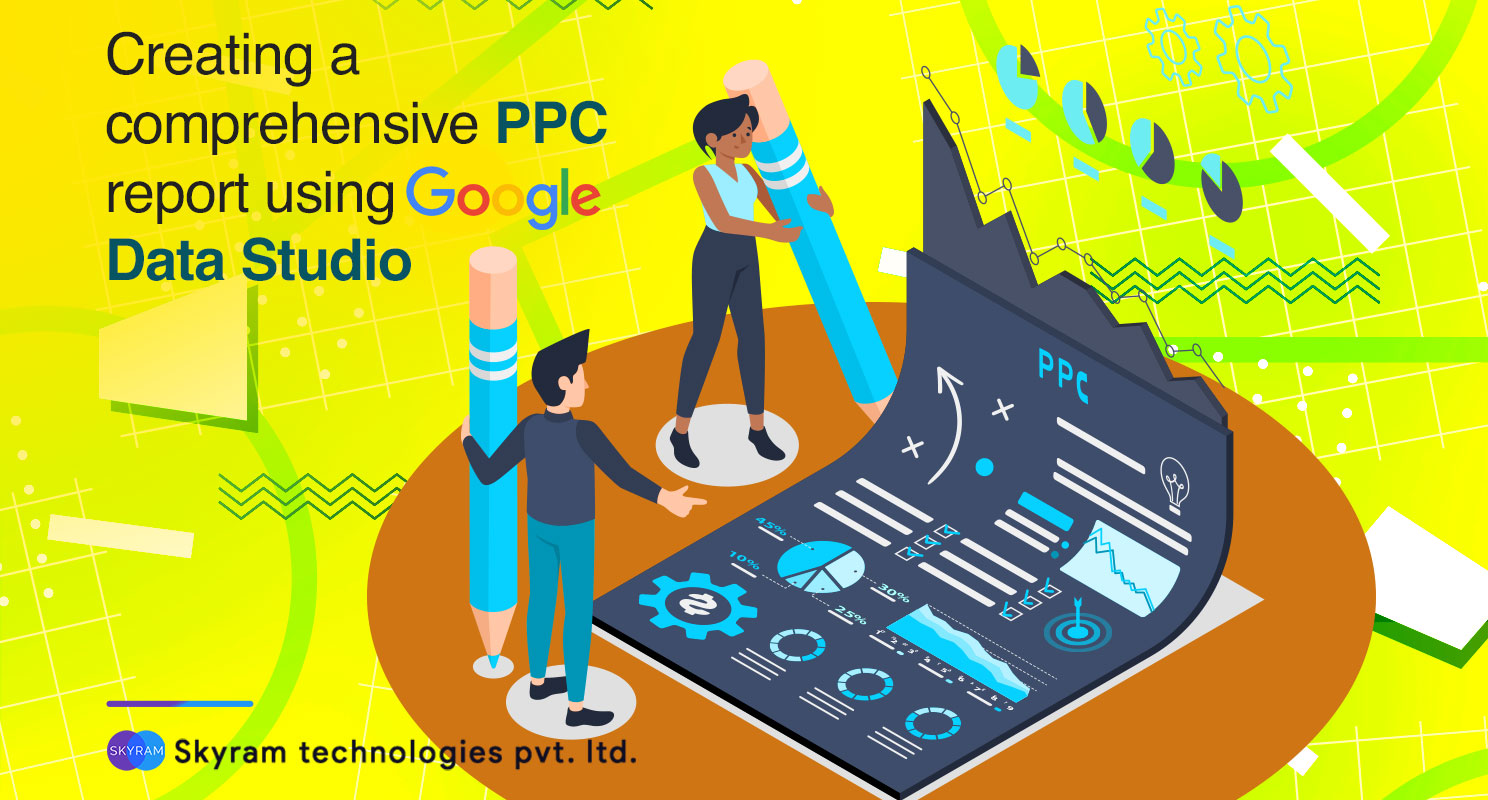
Creating a Comprehensive PPC Report Using Google Data Studio

There is no denying the fact that PPC reports are very important if you offer paid advertising services. But creating them can take a lot of time. And if you have to cover different systems like Google Ads, Facebook Ads, and Bing Ads altogether, then it becomes tougher.

It is not possible to do them manually. However, thanks to the Google Data Studio, you don’t have to put much manual labor in it. In this blog today, we shall share how to create an automated Google Data Studio PPC report. You will also find the shortcuts to the consolidated reporting.

Before we start with the automatic PPC reports in Google Data Studio, let us share a brief history of the evolution of Google Data Studio.

A brief history of the evolution of PPC reporting

First of all, you have to know that PPC reports are the most important if you offer PPC services. Your clients will see these reports as the results sheet of the ad campaigns.

When the PPC reporting started initially it had a screenshot combined with a verbal report. For instance, “your campaigns had 170 clicks 14,521 impressions and .66% conversion rate. That’s it. Clearly, this is not very insightful.

Then came the use of excel charts. It was simple. Copy all the data from Google AdWords and Microsoft and then paste it into a spreadsheet. Then you could create manual charts as well.

Then came the automated PPC reporting version 1.0. It started with Excel and then continued with Microsoft Access. Eventually, a proprietary reporting system was developed using an SQL server. The final result was mostly the same.

Next, people shifted to creating a data warehouse for the marketing reports. This is very much time consuming and you have to spend quite a lot of money. It doesn’t make reporting easier.

Introduction of Google Data Studio – the best option for PPC reporting

Finally, Google Data Studio gets introduced to third-party data connectors. We already know that it is free. Also, no doubt it is one of the most sophisticated reporting systems that anyone can use.

Because it doesn’t have any fancy coding or costly data warehouses. All you need to do is connect the data studio to the marketing platforms and you will be able to build a live dashboard. This dashboard automatically reports the latest results.

With the ability to connect with more than 30 advertising platforms using Supermetrics, you will be able to report on Facebook, Google, Bing Ads. Yes, it is true that Google Data Studio comes with its own quirks, especially with third-party connections. But till now it is the best option for creating monthly PPC reporting.

How to use Google Data Studio for monthly PPC reporting?

  1. Start with whiteboarding

Start with analog and whiteboard it out. The best way is to just jump into the Data Studio and then start building. If you start working with the charts and graphs in the Data Studio, it will take a lot of time. Whiteboarding is the simplest way to get the report concept in place.

  1. Add the tools

Yes, Data Studio is the primary tool but sometimes one tool is not enough. Supermetrics is the additional tool you need. This will help you in creating an all-in-one PPC report.

Supermetrics will connect the data connectors and also help in automating the connection to the platforms where Data Studio doesn’t connect. Without Supermetrics, you cannot pull data from Bing or Facebook automatically.

  1. Playing in the Sandbox

Now it is time to build the different elements of the report. Use the GDS as the sandbox – blank reporting template where you play with data and not the formatting. You might run into some errors and issues.

Know that you cannot easily copy the blended data source in a new report. Thus, when you are sure you can get all the data you need, then only you move on from the sandbox and start developing the final draft.

  1. Put the design template in place

Put out the design in place because it will help you see if you can recreate the whiteboard version of the report in GDS. If you want to keep the same theme, you can copy the Year-in-review website marketing report and create your new report in that format.

  1. Connecting the data sources

When you set up a new report, it is important to connect to the data sources. With the use of native data connectors in Data Studio, you can do it easily. The comprehensive PPC report starts with the native Google Ads connector and then it mixes the premium Supermetrics connectors for connecting Bing and Facebook Ads.

  1. Add your blended data

To create a single visualization report, it is important to use Data Blending. If you want to see data from three ad platforms – Google, Facebook, and Bing in a single scorecard, you have to blend data.

  • To blend data, visit the resources menu and then choose “manage blended data”.
  • Then select “add data view” and choose the data sources that you want to blend.
  • Remember that the data sourced you are blending should have a dimension in common where. Because this will be used as a “join key”. For instance, when blending the data of Facebook and Bing Ads, you can use the Year & Month as the join key.
  • Sometimes things get a bit trickier when you add Google Ads into it. The API naming conventions of Google are different from the other two platforms. You have to use the dimension Month from Google Ads to make the blend work.
  • The consolidated data might break if you add Google using the “Day” dimension with Bing or Facebook’s “Date” dimension. Make sure to verify the data with the original source.
  • While blending data, make sure to name the conventions to identify the data source. If you forget to name your metrics it will be confusing for you. The Facebook Cost Data is called Amount Spent.
  1. Add the calculated metrics

With the blended data, you can create calculated metrics. This is a feature that GDS recently added. To create a scorecard with all the impressions of Facebook, Bing, and Google, you can use the function, IMPR (FB) + IMPR (Bing) + IMPR (GOOG). There are some other calculated metrics as well.

Ads Budget calculated metrics

If you copy this calculation, make sure that you replace the number with average conversion value.

  1. Adding charts and depth

To complete the PPC report, add a couple of combo charts to the dashboard. You can also include three extra pages. These pages break out the results from Google, Bing, and Facebook Ads into individual reporting dashboards. You can easily customize it from there.

So this is it. Here is how you create a complete PPC report using Google Data Studio. PPC is something that you cannot miss out on, especially if you are into digital marketing. Share your thoughts and let us know what you think about the Google Data Studio PPC reporting.

11 mistakes you should avoid when hiring digital marketing agencies

When any business organization, be it a small, medium, or a well-established one, is looking to hire a digital marketing agency, it is mostly because of one of the three following reasons:

  • The company is looking to grow their business online.
  • They are looking for a solid online presence and resources that they do not have in-house.
  • Lastly, they are looking for a professional company with good SEO services to fix and optimize their website.

These are the reasons why any company looks to hire a digital marketing agency. However, there are hundreds of such digital marketing agencies out there. So, how would you know that you have found the right one?

There are plenty of benefits of hiring a proper digital marketing agency, but you have to hire the right one. In this blog today, we are going to share the mistakes that a brand makes while hiring a digital marketing agency. Make sure you don’t do the following things.

  1. No clear understanding of the budget

This is very important. yes, we know that when you are hiring a company to do the digital marketing job, you may not be aware of the exact amount spent on every segment of it. However, you need to have an idea of how much you can spend. Also, know how much should be the cost of digital marketing services.

This will help you know whether an agency is over-charging you or not. Also, it will help you understand where you should spend more to maximize the value of your investment. Discuss with your in-house digital marketing experts too. You might think that only SEO will get the job done. But investing in your own blog and content and fixing your website is critical for your online presence as well.

  1. Not aligning the incentives with your agency

While hiring a digital marketing agency, it is important to have a look at the pricing model. The revenue share models can make an agency short-sighted. Thus, they will offer quick-fixes that will hamper your brand name in the long-run. They don’t see the bigger picture because those agencies are more concerned about making money at present.

Don’t hire agencies that charge by the hours. Because such agencies tend to work slowly. Instead, look for agencies that charge per project. In this way, the overall website and brand will be improved. Also, the benefits of digital marketing will be evenly spread throughout different segments of the brand.

  1. Digital marketing is not only about the transactions

This is a major misconception that a lot of businesses make while hiring a digital marketing agency. Remember that the returns are not always the measure of marketing success. If you are only looking for digital marketing efforts that drive direct response instead of building a brand, then you are not thinking about the long-term benefits.

Thus, it is better to opt for a full-funnel approach instead of choosing typical acquisition channels. You would want an audience for the long-term.

  1. Do not skip the basics

Don’t be in a hurry to spend money on ads and website redesigning. A lot of companies do not care about their branding. This is why they miss on creating customer awareness. This is why it is important to allow your agency to audit your website, assess the competitive scenario, and create basic branding works like USP’s unique factors, brand pyramid, and more. It is important to set up a strong understanding of your agency so that the basics are not missed.

  1. Not treating your agency as your partner

This is something you should always do. Remember that you have to work with your agency to succeed. The people working in that agency are digital marketing professionals and you represent your brand. Thus, both of you need to work in collaboration. Do not think of the agency as the vendor. The best digital marketing results come in when the agency and the brand work in collaboration.

  1. Not speaking up

Yes, we know that it can be hard to offer direct feedback every now and then. But you have to say exactly what you feel about your agency because if you don’t, they will not know where to improve. If you don’t speak up, it will frustrate you and the engagement between you and your agency will end.

  1. Not aligning your internal teams

Do not neglect your internal team. Yes, you need a professional digital marketing team of experts, but that doesn’t mean you have to forget your internal team. Thus, you have to make sure that the agency you hire and the internal team, both are in sync. This will prevent conflicts and disputes in marketing strategies.

  1. Not trusting the experts

A lot of agencies suggest marketing strategies that go against the ideas of the clients. Not this is not easily accepted by a lot of businesses because they don’t want to go beyond their traditional and existing strategies. If you cannot put these things aside, you will be missing out on big opportunities. Try to put your feelings aside and trust that they are professionals with the best tools to support your brand goals.

  1. Trust your agency with time

If you have hired a digital marketing agency and your returns have taken a dip, then it is important to have patience. Remember that the strategies and campaigns take time. It needs trial and error where you have to trust the professionals with their experiments. Trust them to do their job, sit tight and you will see the returns soon.

  1. Simply collecting data will not do any good

Collecting data and reporting analytics will not do any good if you don’t get reliable numbers and make proper use of it. It is important for the agency to test, optimize, and verify data collected from analytics. When you collect the data, it is important to analyze it and use it to your benefit. A lot of times, brands and agencies clash with one another where the brands have to act off based on feelings about the state of their business. Thus, if you don’t think the engagement with your agency is not going well, take a step back and look at the numbers.

  1. Digital marketing is not a one time game

You have to remember that digital marketing is not a one time game. If you have spent money and got results, then you cannot stop continuing the process and expect the same results. If you are not constantly optimizing and testing new strategies, you will lose interest in your audience.

In conclusion, it can be said that the online world moves fast and digital marketing is the best tool to keep up with it. Thus, when you hire digital marketing, it is important to use them to your advantage, instead of pushing them out.

How to use Google Keyword Planner for more traffic to your website?

If you want more traffic from Google, the best way to get it is to do proper keyword research. Because this will help you in understanding what people are looking for.

Google offers a free keyword research tool, which is also known as Google Keyword Planner. The free tool got a bad name for itself after it removed the exact monthly search volumes. Now you will only find a vague range.

However, you can get them back if you run an AdWords campaign. This will cost you some money but this is a very powerful tool. It has a lot of benefits.

The problem with Google Keyword Planner is, a lot of us don’t know how to get the most out of this tool.

How do you get access to Google Keyword Planner?

It is a 100% free tool and you will not need to spend any money but you will need a Google account. You shall be asked to set up an AdWords campaign.

However, you can access it without running the AdWords ad. The first step is to open Googe ads and go to the Keyword Planner.

When you see “what is the main advertising goal”, then you choose, “experienced with Google Ads”. Now there is a trick here. Sometimes you will not be able to find the option of “experienced with Google Ads”.

Google displays the link in browser windows of a certain width. Resize the browser window and you will get the link. Now, click on “create an account without a campaign link” and hit on “submit”.

Click on “explore your account”. The next option is to click on the “tools” link present on the menu bar and “switch to expert mode”. Confirm it through the prompt.

Finally, go to the “tools” link on the menu and you will be able to see the link to the Keyword Planner.

Now you have access to Keyword Planner.

How to use the Google Keyword Planner?

Google Keyword Planner will offer you two options. You can “find keywords” to know what people are interested in. Or you can “get search volume and forecasts”.

To find Keywords

If you want to discover new ideas for keywords, then you can enter phrases or URLs related to the business. Google will offer you some keyword suggestions. For every suggestion, you shall see, average monthly searches, competition, top of the page bit (in low range), and top of the page bid (in high range).

You can use long-term phrases as well. Also, you have the option to use a URL or website as the seed. You can enter ten seed keywords and a URL at the same time.

However, remember that anything you do, Google will not offer you more than a few thousand keyword suggestions.

To get the search volume and forecasts

If you already have a list of keywords, then this is where you check the search volume and forecasts. It will show the number of clicks and impressions to expect if you decide to run the ads for certain keywords on Google AdWords for a period of 30 days.

You will be able to see the estimated costs, CTR, CPC, and more. Visit the “historical metrics” tab to check the average search volumes of 12-months. These are the ranges you will see when you start with “find new keywords”.

The best Google Keyword Planner Hacks

  1. How to unlock the exact search volumes

This is one of the most important tricks that a lot of us would want to know. The first way to know this is to check the estimated impressions for the maximum CPC. Add some keywords to your plan and enter them into the “get search volumes and metrics” tool.

Also, you can check some keywords in the Keyword ideas view and then add them to your plan. Make sure you choose the “exact match” option when prompted.

Go to the “keywords” view, then click on the dropdown and set the max. CPC is as high as possible. Now, notice the “impressions” column. Here you will find the estimated number of impressions that your ad will get in the next month if you run it with certain keywords.

Since you have set the maximum CPC so high, the impressions will be close to the actual monthly search volume.

You can either do this or you can install Keywords Everywhere. It is a free Chrome extension that will add the search volume to the websites that you are already using. It will also bring search volume to Keyword Planner.

  1. Check the keyword ideas for more than 10 terms at once

Now, the common idea is to add 10 keyword terms. But you can add more than that. Just add one at a time to the plan through the checkbox at the top of the list and then choose the option “select all XXX” and then “add to the plan”.

Now you can repeat for the suggestions based on ten other keywords. Thus, eleven will be selected in total. Now, if you visit the historical metrics tab, you will see all the keywords added. The list gets de-duped automatically. Thus, there will be no repeated keywords.

  1. Stealing keyword ideas from competitors

Keyword Planner will help you in generating keywords from a URL. Thus, you can spy on your competitors and check what keywords they are using. If you see there are a lot of related keywords, then you can use the filter option to exclude them.

  1. Find questions that people are asking

Use the filter option in the Keyword planner and enter terms like ‘why’, ‘who’, ‘what’, ‘when’, ‘where’ and ‘how’. Repeat this process and you will find questions that people frequently ask. Add filtered results to your plan every time and you will be able to create an ad group for these terms.

  1. Find feasible keywords by checking the suggested bid

Use the “top of page bid” – the high range column. It is simple, if people are ready to bid on this keyword, it must be converting. Thus, it is worth pursuing.

To sort this column, make sure it is sorted high to low so that the most lucrative keywords rise to the top.

  1. Check the keywords for the local areas

Local SEO is extremely important to get more local and targeted traffic. This is a great thing about Google Keyword Planner where you can see more localized areas, even for cities.

This is not only useful for the local businesses, but you can also use it to understand the popular locations from which a term is searched.

Visit “plan overview” and select all locations in the filter and the scroll to the locations box. Here you will see the list of the top countries from where the keyword is searched.

  1. Check which devices people are using

People use a lot of devices these days for browsing the web. They use smartphones, laptops, tablets, and iPad with different screen sizes. To optimize your content for mobile devices, go to the Plan Overview section.

Then check the devices section, the impressions bar. When you hover over this, it will tell you the percentage of impressions that come from each device category.

In the end, it can be said that Google Keyword Planner is one of the best tools for one of the major segments of digital marketing, i.e. SEO for web content writing. It is one of the highly recommended tools and we hope you will find all the necessary solutions in this blog.

Why is it Dangerous to Hire a Freelancer for Digital Marketing?

When you have to get digital marketing done for your website or brand, a lot of individuals get confused. Some people think that hiring a freelancer will be a better option. Others consider hiring a full-time digital marketing agency.

Now, from the topic of our blog, you have already understood that we are going to discuss why you should not hire a freelancer for digital marketing. Digital marketing plays a very important role if a business owner wants to take his business to the next level.

If you think that hiring a freelancer will help you with digital marketing, then you are mistaken. Yes, it is true that freelancers do have their advantages, but the same features will turn against you. How? First of all, let us explain why a lot of business owners tend to hire freelance digital marketers.

Why shouldn’t you hire a digital marketing freelancer?

The primary reason why most of the business owners opt for freelancers is their services come cheap. This seems to be a viable option for a lot of startups and small businesses with budget constraints. However, cheap services don’t come with the expected quality.

While hiring a freelancer, most of them will claim to increase traffic, engagement, and conversion within a lesser cost than an agency. But the desired output is not exactly as expected and that’s when the budget constraints become a legitimate factor. Because that is when you come to know that you have to spend more to get better results.

Now, this whole thing creates a bad experience for any business owner.

Another important reason why you should not hire a freelancer for digital marketing is a freelancer has a limited skill set. A single individual cannot be proficient in multiple aspects. As we all know, digital marketing incorporates a wide array of activities.

It includes SEO, social media marketing, email marketing, PPC, content writing, mobile marketing, and more creative services. It is not possible for a single individual to be experienced in all these segments. This is where the services of a freelancer are limited.

Thus, you will have to look for multiple freelancers for multiple segments of digital marketing. This brings us back to the square one where you have to spend more to get effective services from freelancers.

Again, you won’t have a satisfactory experience.

What is the alternative to hiring freelance digital marketing experts and why?

Obviously the alternative to hiring freelancers is to opt for a professional digital marketing agency. Now, you might think that it will be going over-budget. But you have to understand that when you hire a freelancer for at a lesser pay scale, you are already surrendering your brand lower-quality services.

Proper marketing strategy – a freelancer can’t help you with it

One thing that should be very clear that digital marketing requires a proper marketing strategy to increase traffic, engagement, and conversion. It takes time and constant effort. You might get a lot of freelancers who will get the job done for once. But a brand or a business doesn’t survive by only getting a job done. It is important for a brand or business to expand.

This is where you have to opt for a digital marketing agency since a freelancer can do as much as getting the job done. They can offer you a one-time service. They cannot help you in business acquisition, expansion, and growth. But an agency can!

Legally binding agreement – not a freelancer’s cup of tea

You need a go-to platform that offers consolidated services covering all aspects of digital marketing. This is again where you cannot trust a freelancer. Because if you hire a freelancer, there is no legal binding! There is no agreement that binds him to deliver a service for you, apart from a few email conversations or messenger chats maybe.

On the contrary, when you choose a digital marketing agency, there is a legal contract involved for a certain period. It includes non-disclosure agreements and legal payment terms that bind them to deliver a certain service for you.

Quality assurance – no assurance from a freelancer’s end

Poor services from a brand will demolish a brand name and its recognition, especially if it is a newbie. Since a single freelancer cannot handle the complete digital marketing genre, you cannot really blame a freelancer if your brand name gets affected. You will be putting your brand name at risk by hiring a freelancer for digital marketing.

Consistent support – you cannot even hope to get it from a freelancer

Another reason why you should always consider hiring a digital marketing agency is the availability and consistent support. When you hire a freelancer, you are paying for a one-time service. They will not take responsibility for anything that happens to your website/brand later on.

A freelancer is not bound to be available and deliver consistent support. There is no assurance that a freelancer will be acquitted with your business goals and objectives. They are not a part of your business and unfamiliar with corporate culture and goals. They work on their own time. Are you ready to take that risk for your brand?

On the other hand, when you hire an agency you get an agreement for a certain period. You get a team of experts that offer consistent support every day to ensure you stay on top of your digital marketing game. During that ‘agreed’ period, anything that happens to your website or brand, it becomes their responsibility.

Monitoring web-analytics and reporting – A freelancer will not bother

Thus, you will have a good night’s sleep because you know that you have a backup support team that is consistently monitoring the digital marketing campaigns, web analytics to ensure your brand recognition increases. In fact, a good digital marketing agency communicates with their clients in a transparent way to understand their goals and expectations. Thus, you might end up building a long term relationship.

Missing deadlines – A specialty for a freelancer

For the same reasons, missed deadlines are a major issue while hiring freelancers. The reason is very simple, a freelancer, being a single individual, always works on multiple projects at the same time. Trying to balance between two or three projects at the same time is not easy, especially if one is working solo.

This is what leads to missed deadlines. It is bound to happen. Result? Not getting the expected output within the desired time frame. The best alternative again is a digital marketing agency. An agency too, works on multiple projects. But, they have different teams working on different projects. This is why time management doesn’t become an issue. Thus, a chance of missing a deadline by an agency is almost nil.

Here are the reasons why it is dangerous to hire a freelancer for digital marketing. The safer and much better option is to choose a digital marketing agency. Share your opinions and let us know what you think about it.

Ok, Google – Best ways to optimize your website for voice search

There is no denying the fact that voice search is the future. It has become one of the most popular ways of search on Google. A huge number of people prefer this hands-free way of searching the web.

To meet the future, it is important for digital marketers and designers to optimize a website for voice search. The users must have a smooth and natural experience in voice search. The responses have to be actionable, conversational, and easy to understand.

Voice search has become so popular because it is easy for a user to speak to an assist instead of typing. Also, the results for voice search queries come quicker. Voice searches can be used anytime anywhere. You can use it even on the go. This is why it is so popular.

With the increase in the use of digital assistants, optimizing your website for voice search has become important for your SEO success.

Voice Search Stats
Voice Search Stats

What is Google Voice search? The Hummingbird update

In 2013, Google launched a major algorithmic update also known as Google Hummingbird. The primary focus of this algorithm is to consider the user intent and the contextual meaning of the queries.

Voice search allows the users to search the web using Google through spoken voice commands instead of typing. It can be used both in desktop and mobile searches. The ‘wake’ phrase to tell Google to start analyzing is called ‘OK, Google’.

Digital marketers had to refine the strategy. Instead of stuffing keywords in the blogs and articles, the content writing format was changed to address the pain points of the target audience. Voice technology improved user-experience with semantics.

Voice technology relies on Natural Language Processing to recognize voice texture, user behavior, and interests.

Integrating Google Voice Search within Google Now

Google Voice Search has been a part of Google’s assistant, aka Google Now. The combination of Google’s powerful search algorithm along with the sophisticated natural language processing technology makes it so seamless. Also, it is much more accurate than Siri, Cortana, or Alexa.

Google has done a great job to make things easier for advertisers and webmasters to identify both online and offline conversions. The way people search for information these days have changed.

Just like any other Google’s products, the tendency to use Google voice search has increased among people. The use of voice search and related commands has increased 7x times since its inception in 2010.

What are people using voice search for?

The answer to this question depends on the age of the person. For instance, adults mostly use voice search to look for directions, deliver text messages, to call someone, check the time, and play a song.

While teenagers use voice search for help with multiple questions, play a song, find movies, call someone and directions too. A lot of users have only recently started using the voice search feature on a regular basis from the last six months.

How to optimize your website for voice search?

1) Use long-tail keywords

Brands need to use actionable long-tail keywords and put them up in the schema markup or schema metadata of the website. Basically, it is the code. This will help the website to offer search engines with more information. This is important for specific searches.

When people use a voice query, the answer is mostly not the first result on Google. The long-tail keywords will help the websites be the answer that the users hear while doing a voice search. Long-tail keywords are more targeted.

2) Convert the queries into questions

While creating content, instead of using a simple keyword as “burger” make it something that a voice search user would say. For instance, you can make it like “where can I find a burger near me?”. This will make it more likely that your website will be the answer.

It is always important to consider user intent in mind while structuring the website content. Add crucial information like street address and opening hours. Google is a sophisticated search engine, but the easier you make it for the web crawlers, the more are the chances of your website showing up.

3) Optimize the content for multiple search engines

Yes, a lot of you might think that optimizing for Google will be enough. But this is not true. First of all, you have to consider the market share and secondly, the present state of SEO in general.

For instance, a wide range of people prefer to use iOS devices instead of Android. Now, Siri uses Bing as the primary search engine. Thus, if you are solely optimizing your website by following Google’s guidelines, chances are, you will miss out on a lot of your audience.

4) Update your GMB listing

The more recent information you can provide, the more relevant it will be for your prospective customers. Do not miss out on the “near me’ searches. Include images while updating Google My Business listing and add crucial information.

The images are displayed as a part of Google Maps searches. If you are advertising the locally-focused businesses using AdWords, you can use the AdWords location extensions. This will help you make sure that the ads are displayed to the highly-motivated on-the-go shoppers.

You can also use the Google Maps local search ads. This is a powerful technique to reach the right people at the right time and right place. The inconspicuous ads appear above organic results in Google Maps and it can help in driving more traffic to the store or location.

5) Optimize for the future snippets

The Google snippet box appears under the search bar. They can draw quick-hitting information from a relevant website. The brands need to capitalize on the snippet boxes by optimizing the specific queries. According to the STAT search analytics, 70% of the Google snippets don’t come from the first organic result. Thus it is possible to become a snippet without dominating SEO rankings.

6) Localize the experience

Use digital marketing metrics to ensure that you are targeting the right area. For optimizing the local search, the companies need to include the region in their content and metadata. Create location-specific pages along with more than a footer address.

Use the visuals that are specific to the local area and use alt-text tags. Tag images and videos with geographic areas. If the videos and audios discuss a specific location, then offer a transcript to boost the website accessibility.

A lot of brands have started enabling voice search in digital marketing. One thing is for sure. Voice search will continue to be more intelligent, accurate, and responsive to the evolving consumer electronics market.

17 Advanced SEO strategies to increase your website search traffic

It is important to understand and use SEO effectively to increase search traffic and brand awareness. Millions of people right now are looking for content just like yours. You will be able to help them by being an SEO expert.

80% of a website’s traffic starts with a search query. This is why search engine optimization is so important. However, to stay on top of your SEO game will take a lot of research, trial, and errors. Google algorithms are constantly updated. Thus, you have to stay tuned to the latest updates.

Keeping this in mind, let’s get started with the 17 advanced SEO strategies that will help in increasing search traffic in 2020.

  1. Ranking for ‘Journalist Keywords’

So what are Journalist Keywords? These are the terms that journalists use to search for something. These keywords are a great way to build backlinks. A journalist needs specific stats for their articles and they Google it.

Using terms like “average” or “median” with phrases like ‘daily-users’ or ‘page-speed’ increases the chances of the website getting ranked on Google. For instance, the complete phrase becomes, ‘average daily users’ or ‘average page speed’.

  1. Use animated images to reduce bounce rate

It is important to make your audience stay on your website. The best way to do it is to use high-resolution animated images. Animated images stop people from skimming. They read more content and spend more time on your site.

  1. Creating content hubs

28% of the organic traffic from backlinks comes from content hubs. Content hubs are kind of a mini Wikipedia on a topic. A content hub is a forum where website visitors will be able to find a lot of branded, curated, social media, user-generated, or any type of content regarding any topic. It is smaller than a website and bigger than a blog. Here is an example of a content hub from American Express. Their content hub is known as OPENforum.

  1. Target comparison keywords

Comparison keywords are those that compare different things. These are like the following;

  • Content marketing vs. SEO
  • iPhone vs. Android
  • Webflow vs. WordPress

Comparison keywords help people in deciding between two options and they don’t have much competition. So they rank well. If you can create content optimized with “You vs Competitor” with comparison keywords, it will be helpful.

  1. Using dynamic parameters for pagination

This is a technical aspect of SEO. Sometimes it takes a lot of time to get a new page indexed. Google spiders take forever to crawl a new page. A simple trick is to change the new page address from this:

https://xyz.com/business-topics/page/2

To this

https://xyz.com/business-topics?page=2

This is a new format to get a new page indexed in Google to figure out the paginated page URL patterns. It makes Google find new pages instead of recrawling the old pages.

  1. Backlinks with podcasts

At present, podcasts are the new guest posts and in some ways better than them. To create a guest post, you have to find a site, pitch them, write a draft, edit them, and then get published. But, for a podcast, all you need is to show up. That’s it. Going to podcasts is the best link building strategy used for backlinking. Make sure you pitch for the audience with a specific thing to offer. Audio quality should be good and start by creating small podcasts.

  1. Create a content alliance

Creating a content alliance is when you team up with other businesses, their website, blogs, or YouTube channel on content. You can partner with someone that has got the data you need and promoting them on your website in exchange. You can also partner by sharing your content/data to them.

  1. Maximizing the SERP real estate

The #1 search result in Google gets 32% organic clicks. There is another way to get more clicks from SERPs – using the SERP real-estate. The SERP real-estate is how many pixels you can control on Google’s first page.

The more pixels you can control, the more traffic you will be able to get from the keyword. For instance, getting ranked in a featured snippet will put you on the top of the page also; it will triple the SERP real estate for the keyword.

You can take up more SERP real estate by using medium articles, guest posts, YouTube videos, featured snippets, rich snippets, and top stories.

  1. Embed original images into the content

High-quality content makes your image better. This helps in improving search engine rankings. But duplicate images (stock photos) can hurt your page rankings. This is why it is better to use original images as much as possible.

If you have original images, people might start to use your images in their blog posts and give your website link as the source. This increases traffic.

  1. Optimize content for keyword relevance

On-page SEO is not only about keyword stuffing. Google wants to see relevant content on a certain topic. To give Google a signal that you have relevant content on a topic, you have to use Latent Semantic Indexing keywords. These are conceptually related terms that the search engines use for understanding content on a webpage.

Thus, when you use a lot of LSI keywords you confirm to Google that your page is relevant for a certain query. This will give you a better ranking for your target keyword. A simple way to do this is to create in-depth content where you will automatically use the LSI keywords.

  1. Create a comments section on the blog

Comments can help SEO in three ways;

Firstly, the comments work as the direct ranking factor.

Secondly, they offer more stuff to users to read.

Finally, Google crawls the comments section. Thus, it works as an important segment to get ranked and indexed.

  1. Uncover the “people also ask” keywords

41% of all the Google search results comprise a “people also ask” section. This is why it is important to optimize them as well. The only factor is, you have to find these questions. You can use a free tool called “people also ask”. This tool scrapes these questions once you put in the keywords.

  1. Adding content features to the page is helpful

Content features include calculators, comparison charts, feature breakdowns, a bullet list of pros and cons, summaries, and quote boxes. These are the things that you add to your content to make it much more valuable and informative. Content features will directly or indirectly improve Google rankings.

  1. Publish topic + year content

Topic + year content are the blog posts that cover the primary trends happening around a given topic. For instance when you optimize a post using keywords like “top SEO strategies 2020”, it gets a competitive edge. Because SEO is an extremely competitive keyword, but when you add 2020 to it, Google recognizes it as trending.

This is not the same as adding “2020” at the end of a title tag. If you add 2020 at the end of a title, the whole content has to be based on the SEO trends of 2020.

  1. Backlinks from unlinked brands

Unlinked brand mentions are the mentions in blog posts and news articles that don’t link to your website. You can email the person that mentioned your brand and ask them to add a link to your website. It has a great conversion rate.

  1. Optimize for Google Discover

This is just like the social media newsfeed of Google. The only difference is, instead of featuring posts from the people you follow, Google will show high-quality content that they think you like. Using high-quality images is an optimization technique for Google Discover. Apart from that, create fresh content on popular topics, engage on twitter, and use graphs.

  1. Find out the low-competition keywords from Reddit

An easy way to do this is to pop a subreddit into the SEMrush or Ahrefs. Check out all the keywords in that subreddit and that’s it. You have a list of low-competition keywords. You will also find a lot of junk keywords. This is why you can use a quick CPC filter to get good keywords.

Here are the top 17 SEO strategies that work perfectly in digital marketing to increase the search traffic. So which ones are you going to try first? Share your thoughts with Skyram Technologies in the comments section.